
JSON has been around since the early 2000s, thanks to Douglas Crockford. It quickly became the go-to format for sending data between clients and servers. Developers love it because it’s readable, universal, and easy to work with.
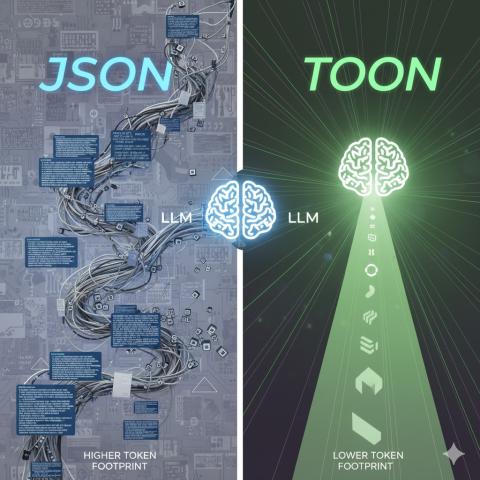
But as AI systems have taken center stage, one flaw has become hard to ignore: JSON is chatty. All those braces, quotes, and repeated keys rack up tokens—and in LLM land, tokens translate directly into cost. The more you send, the more you pay.
That’s where a new format steps into the spotlight: TOON (Token-Oriented Object Notation). It’s engineered to help LLMs work with structured data more efficiently and at a lower token footprint.
My curiosity pushed me to dive deeper into TOON—why everyone’s talking about it, how it’s designed, and how you can start using it right now in JavaScript/TypeScript or Python. Spoiler alert: it’s delightfully clever.
All the example code is available here: https://github.com/rudrakshya/toon-and-json
So, what exactly is TOON?
TOON is a compact data serialization format built with one core goal: minimize tokens when sending structured data to language models.
While JSON leans on verbose punctuation, TOON uses a cleaner, table-style layout that LLMs find easier (and cheaper) to process. Think of it as the same information—but delivered in a lean, token-optimized package.
Here’s a quick side-by-side:
You know the usual JSON structure—arrays, objects, lots of punctuation. Now imagine the same data expressed in TOON: tidy, minimal, and streamlined for LLM consumption.
{
  "users": [
    { "id": 1, "name": "Alice", "role": "admin" },
    { "id": 2, "name": "Bob", "role": "user" }
  ]
}
If you wanted to represent the same data in TOON, it would look like this:
users[2]{id,name,role}:
  1,Alice,admin
  2,Bob,user
users[2]{id,name,role}:
1,Alice,admin
2,Bob,user
Did you notice the differences?
1. No quotes, braces, or colons in TOON.
2. The users[2]{id,name,role}: declares an array of two objects with the fields id, name, and role.
3. The lines below are simply the data rows.
You can see that TOON visibly reduced the token usage by 30-50%, depending on the data shape.
Why is TOON Important Now?
LLMs like GPT, Gemini, and Claude are token-based systems. Each word, symbol, or chunk costs tokens for input and output. So, if you’re preparing an LLM with structured data input/output like this:
{ "products": [ ... 300, "items" ... ] }You might waste thousands of tokens in quotes, braces, colons, and repeated keys. TOON solves that by focusing on a compact yet structured representation.
Some of the key benefits of TOON are:
1. 30-50% fewer tokens for uniform data sets.
2. It has less syntactic clutter, which makes it easier for LLMs to reason about.
3. It can be nested as we do with JSON.
4. Works well with languages like Python, Go, Rust, and JavaScript.
TOON is a great augmentation to JSON, especially for AI projects, LLMs, and data-heavy prompts. It may not replace JSON entirely, but it’s suitable for use cases where JSON is considered heavyweight for data exchange.
JSON vs TOON – Learn With Examples
Now that you have a basic idea of what TOON does and why it’s helpful, let’s look at some of the most used JSON structures and their equivalent representation in TOON.
1. A Simple Object
Here’s how you’d represent an object with JSON:
{ "name": "Alice", "age": 30, "city": "Bengaluru" }And here’s how it works with TOON:
name: Alice
age: 30
city: Bengaluru
2. Array of Values
With JSON:
{ "colors": ["red", "green", "blue"] }With TOON:
colors[3]: red,green,blue3. Array of Objects
With JSON:
{
  "users": [
    { "id": 1, "name": "Alice" },
    { "id": 2, "name": "Bob" }
  ]
}
With TOON:
users[2]{id,name}:
  1,Alice
  2,Bob
4. Nested Objects
With JSON:
{
  "user": {
    "id": 1,
    "name": "Alice",
    "profile": { "age": 30, "city": "Bengaluru" }
  }
}
With TOON:
user:
  id: 1
  name: Alice
  profile:
    age: 30
    city: Bengaluru
Indentation represents nesting. It’s almost YAML-like, but it’s still structured.
5. Array of Objects With Nested Fields
With JSON:
With JSON:
{
  "teams": [
    {
      "name": "Team Alpha",
      "members": [
        { "id": 1, "name": "Alice" },
        { "id": 2, "name": "Bob" }
      ]
    }
  ]
}
With TOON:
teams[1]:
  - name: Team Alpha
    members[2]{id,name}:
      1,Alice
      2,Bob
This is still perfectly understandable, and much smaller than the JSON format.
Now that you know a bit about TOON syntax, let’s see how to use it with different programming languages.
How to Use TOON With JavaScript / TypeScript
In most cases, TOON is not meant to be handwritten. Most TOON data will be generated automatically by software, or you’ll need to encode existing data (say, JSON data) into the TOON format.
In most cases, TOON is not meant to be handwritten. Most TOON data will be generated automatically by software, or you’ll need to encode existing data (say, JSON data) into the TOON format.
And there’s good news – TOON already has an official NPM package that you can use in your JavaScript/TypeScript project to convert your JSON data to TOON and vice versa.
Install it using the following command:
npm install @toon-format/toon # Or yarn add, pnpm install, etcThe easiest way to create TOON code is by converting JSON to TOON. You can use the encode() method from the above-mentioned NPM package:
import { encode } from "@toon-format/toon";
<br>
const data = {
  users: [
    { id: 1, name: "Alice", role: "admin" },
    { id: 2, name: "Bob", role: "user" },
  ],
};
<br>
const toonString = encode(data);
console.log(toonString);
Output:
users[2]{id,name,role}:
  1,Alice,admin
  2,Bob,user
To do the reverse (TOON => JSON), you need to use the decode() method:
import { decode } from "@toon-format/toon";
<br>
const toonString = `
users[2]{id,name,role}:
  1,Alice,admin
  2,Bob,user
`;
<br>
const jsonObject = decode(toonString);
console.log(jsonObject);
Output:
{
  "users": [
    { "id": 1, "name": "Alice", "role": "admin" },
    { "id": 2, "name": "Bob", "role": "user" }
  ]
}
The Future of TOON
TOON, though in its infancy, is still getting a lot of attention from the developer community. Its early traction is making it unavoidable to talk about.
TOON has already been explored for:
1. Less token overhead for structured training data to fine-tune LLMs.
2. Compact data exchange in Agent frameworks.
3. Faster data serialization and deserialization between the MCP and AI workflow engines.
4. With Serverless AI APIs, where cost and speed matter a lot.
Just as JSON has been a standard for the Web’s data exchange, TOON may soon be standardized for AI data interchange. So next time you craft a prompt or pass structured data to an AI model, try it in the TOON format. You may notice the model gets faster and cheaper.
Before We End..
That’s all! I hope you found this article insightful.
-- Cheers from Rudrakshya Barman